QUESTIONS?
CONTACT US!
800.903.6571
sales@POSGuys.com
6am - 5pm PST (Mon - Fri)
Buyer's Guide for POS Cash Drawers
Please Note: Some of the products linked in this buyer guide might be out of date. We are working to update this documentation. Please reach out to our sales team if you have any questions.
Learn Cash Drawer Basics From The Pros
 How do Cash Drawers Work?
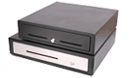
Cash drawers are a secure way to store cash, coins, checks, or other financial files, allowing you and your employees to accept payments without fear of loss. The drawer opens when an electrical signal tells it to release a latch; traditionally this signal is sent by receipt printer, but other methods are available.
 What Kind of Cash Drawer Should I Buy?
Picking the right cash drawer is pretty straightforward, though some variations can help extend the usability at your business or just make for a better experience overall. Cash drawer dimensions and durability are the primary concerns, but added features including till orientation and interface should be taken into consideration as well.
Construction
We separate our cash drawers based on the durability and longevity advertised by the manufacturer, classifying them as heavy duty or medium duty. Heavy duty cash drawers offer increased durability, usually through heavier gauge metals and latch mechanisms rated for millions of operations. Medium duty drawers give you the same functionality but use less durable materials, making them more affordable but not as long-lasting.
Interface Type
The electrical signal used to open a cash drawer can come from a variety of interfaces. The most common is directly connecting to the receipt printer, however there are options for USB, Serial, and even Ethernet interfaces on cash drawers. It's a good idea to consult with your POS software to determine which interface type is preferred.
- Printer driven cash drawers are our most popular and recommended type of cash drawer. The drawer plugs directly into the receipt printer via hard-wire or interchangeable cable. The receipt printer signals the cash drawer to open when needed.
- Serial and USB-driven cash drawers plug directly into your computer and receive the open signal from the POS software instead of the receipt printer.
- Ethernet cash drawers plug into your network. When it is time to open the drawer, your POS software sends a command to the cash drawer's IP address, opening similarly to USB-driven drawers.
- A manually driven cash drawer does not connect to the point of sale system and must be opened manually by the cashier.
Cash drawer locks offer multiple position states, each providing additional functionality. Some higher security cash drawers even allow for varying key styles, so employees can set a drawer to be opened via software, but only a manager's key can manually open the drawer.
| Lock Type | Electronic Lock | Electronic Unlock | Manually Controlled | Locked Open |
| Two Position | X | X | ||
| Three Position | X | X | X | |
| Four Position | X | X | X | X |
Media slots are the small openings on the front of the cash drawer that allow deposit of checks, coupons, or credit card slips into the space below the cash tray without actually opening the drawer. The number of media slots can vary from one to three.
Cash Till
The cash till is the plastic tray that holds your cash and bills during business operations. They are available in different orientations, usually separated by the currency a given country uses. In the US, most drawers have 5 bill slots and 5 coin slots, though smaller drawers may not have the space for that many slots. This allows you to have more common bills in slots for easy access and larger bills stored out of site underneath the till. .
| Model Name | Construction | Interface Type | Locking Functions | Media Slot | Bills; Coins |
| POS-X ION | Heavy Duty | Printer, USB | 3 Positions | 2 | 5 Bills; 5 Coins |
| MMF Advantage | Heavy Duty | Printer, Serial, USB | 3 Positions | 1-2 | 5 Bills; 5 Coins |
| MMF Media Plus | Heavy Duty | Printer | 4 Positions | 3 | 5 Bills; 5 Coins |
| MMF Val-U-Line | Medium Duty | Printer | 3 Positions | 2 | 5 Bills; 8 Coins |
| APG Vasario | Medium Duty | Printer, Serial, USB | 4 Positions | 2 | 4 Bills; 5 Coins |
| MMF Val-U-Line Manual | Medium Duty | Manual | Manual | 1 | 4 Bills; 5 Coins |